
Hotlink protection is a feature that prevents other websites from directly linking to files on your website, such as images. This helps to reduce bandwidth usage and prevents others from using your resources without permission.

Here’s a step-by-step guide
Log in to cPanel:
Access your cPanel account using your username and password.
Navigate to Hotlink Protection in cPanel:
Once logged in, look for the “Security” section in cPanel.
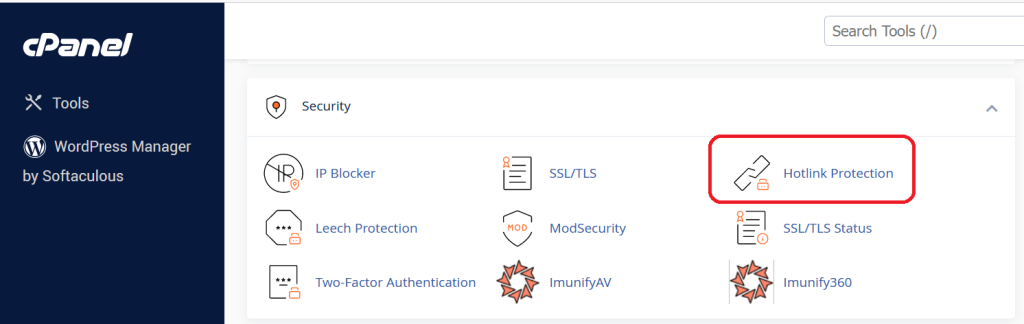
In the Security section, you should find the “Hotlink Protection” option.
Enable Hotlink Protection:
Click on the “Hotlink Protection” icon.
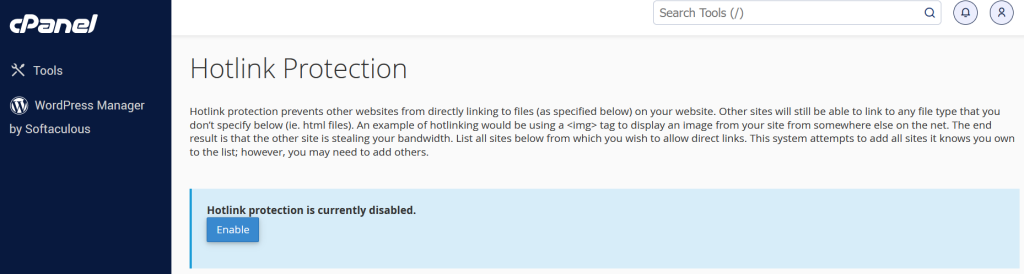
In the Hotlink Protection interface, you’ll see an option to enable or disable Hotlink Protection in cPanel. Click on “Enable.”
Define Allowed Referrers:
You need to specify which websites are allowed to hotlink to your content. Enter the domains that you want to allow in the “URLs to allow access” section. You can specify multiple domains, separated by commas.
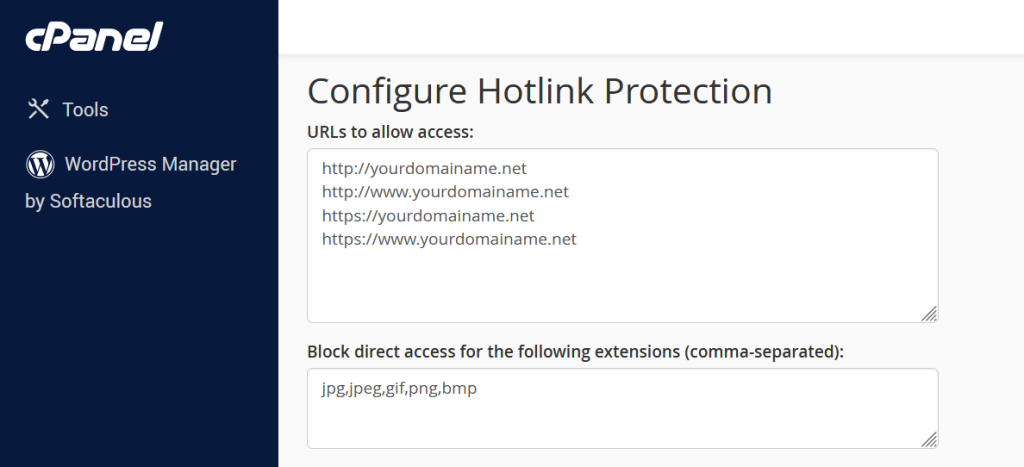
If you want to allow hotlinking from all subdomains of a domain, you can use the wildcard character (*) like this: *.example.com.
Define Blocked Referrers (Optional):
In the “Block direct access for these extensions” section, you can specify file types that you want to block from being hotlinked. This can include common image file extensions like .jpg, .png, .gif, etc.

You can add additional file types by separating them with commas.
Set up Redirect (Optional):
You have the option to set up a redirect for blocked requests. This means that if someone tries to hotlink to your content, they will be redirected to a specified URL. You can enter the URL in the “Redirect request to this URL” field.

Click on “Submit”:
After configuring the settings, click on the “Submit” or “Save” button to apply the changes.
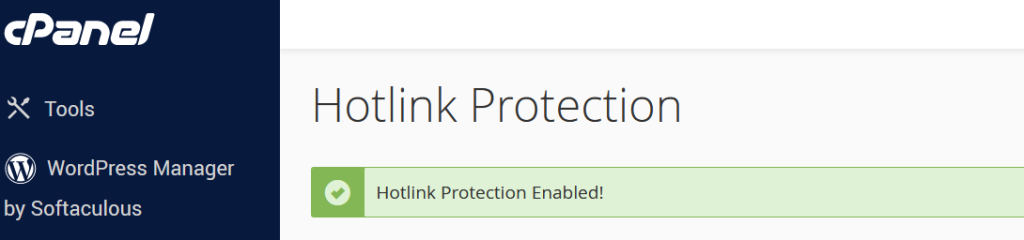
Test the Hotlink Protection in cPanel :
After enabling Hotlink Protection in cPanel, test it by trying to access one of your images directly from a browser or by attempting to hotlink from an unauthorized website.
Hotlink Protection in cPanel feature is designed to safeguard your website’s resources by preventing unauthorized external websites from directly linking to your files, such as images or media. By enabling Hotlink Protection through the cPanel interface, you can specify a list of allowed referrers, which are the domains permitted to hotlink to your content.
This Protection is a crucial feature for website owners seeking to secure their online assets and manage resource consumption effectively. By activating Hotlink Protection in cPanel interface, users gain a robust defense mechanism against unauthorized external websites attempting to directly link to their files, such as images, videos, or other media content. This Hotlink Protection in cPanel is particularly valuable in preventing content theft, conserving bandwidth, and maintaining the integrity of a website’s resources.
In addition to Hotlink Protection in cPanel, websites often implement various security measures to fortify their online presence against potential threats and unauthorized access. One commonly employed security feature is SSL/TLS encryption, which ensures secure data transmission between the user’s browser and the web server, protecting sensitive information from interception.
Web Application Firewalls (WAFs) are another critical layer of defense. These firewalls analyze and filter HTTP traffic between a web application and the Internet, identifying and mitigating potential security threats, such as SQL injection and cross-site scripting (XSS) attacks.
Moreover, Content Security Policy (CSP) is a security standard that helps prevent various types of code injection attacks by allowing website owners to define and enforce a set of policies regarding the sources of content that a browser can load.
Robust password policies, multi-factor authentication (MFA), and regular security audits also play pivotal roles in maintaining website security. These measures help safeguard user accounts and sensitive data by adding layers of authentication and continuously assessing the system for vulnerabilities.
Furthermore, regular software updates and patch management are crucial for addressing known security vulnerabilities in both the operating system and the software stack, reducing the risk of exploitation by malicious actors.
In conclusion, a comprehensive website security strategy involves the integration of multiple protective measures, such as SSL/TLS encryption, WAFs, CSP, strong authentication practices, and diligent software maintenance. The combination of these security layers contributes to a resilient defense system, enhancing the overall security posture of a website and protecting it from a wide range of potential threats.


