
Hosting a website refers to the process of making a website accessible to the public or a specific set of audience over the internet. When you create a site, it consists of various files (HTML, CSS, images, videos, etc.) that need to be stored on a server so that users can access them through their web browsers. The server is a powerful computer that is always connected to the internet and configured to serve site content to users.
Websites are essential in the modern digital landscape as they provide a crucial online presence for individuals, businesses, and organizations. Serving as dynamic hubs of information, websites offer a platform to showcase products, services, or personal portfolios. They facilitate global reach, enabling interaction with a diverse audience and enhancing credibility. Websites are powerful tools for marketing, branding, and communication, offering convenient ways for customers or users to learn, connect, and engage. Whether for e-commerce, education, job recruitment, or community building, websites streamline information accessibility, foster connectivity, and contribute significantly to establishing and strengthening online identities in today’s interconnected world.

To host a website, you need a few key elements. First, register a domain name, providing a unique web address. Next, choose a reliable web hosting provider to store your site files on a server. Develop the content for your site, including HTML, CSS, and multimedia elements. Configure your domain to point to the hosting server through DNS settings. Optionally, consider obtaining an SSL certificate for security. Use either an FTP client or a control panel provided by the hosting company to upload your site files. Regularly back up your site, implement security measures, and monitor its performance. This combination of domain registration, hosting, content creation, and security measures is essential for successfully hosting a website on the internet.
Creating a basic website involves several key steps
Planning:
Planning for a website is a crucial step that lays the foundation for a successful online presence.
Define Purpose and Audience: Clearly understand the purpose of your site and identify your target audience.
Content Outline: Outline the main sections and content you want to include on your site.

Content Strategy: Develop a content strategy outlining the type of content you will provide. This includes text, images, videos, and any other media. Consider how often you’ll update content to keep it fresh and relevant.
Competitor Analysis : Research competitors’ websites to understand industry standards, identify unique selling points, and gather inspiration. This analysis can help you differentiate your site and offer a better user experience.
Domain Name:
A domain name is a unique and human-readable web address that helps users locate and access a specific website on the internet. It serves as the foundation of a website’s online identity.

Choose a Domain: Select a unique and relevant domain name for your site. You can register a domain through domain registrars.
Web Hosting:
Web hosting is a service that allows individuals, businesses, and organizations to make their websites accessible on the internet. It involves storing website files, data, and content on servers that are connected to the internet, making it possible for users to access and interact with the website.

Servers: Web hosting companies maintain powerful computers called servers. These servers are configured to handle requests from users’ browsers, retrieve website files, and deliver them to the users’ devices.
Types of Hosting:
There are various types of web hosting to cater to different needs:
- Shared Hosting: Multiple sites share resources on the same server. It’s a cost-effective option for smaller sites.
- Virtual Private Server (VPS) Hosting: Provides a virtualized private server within a larger physical server, offering more control and resources than shared hosting.
- Dedicated Server Hosting: A dedicated physical server is exclusively used for one site. It offers maximum control and performance but is more expensive.
- Cloud Hosting: Utilizes a network of interconnected virtual and/or physical servers to provide scalable resources based on demand.
Hosting Plans: Web hosting providers offer various plans with different features, resources, and pricing. Factors to consider include storage space, bandwidth, email accounts, and additional services like SSL certificates.
Select a Hosting Provider: Choose a reliable web hosting provider to store your site files and make them accessible on the internet.

Website Design:
Choose a Platform: Decide on a site-building platform. Popular options include WordPress, Wix, Squarespace, and others.
Design the Layout: Create a simple and user-friendly layout for your site. Consider the navigation menu, headers, and footers.
Content Creation:

Create Content: Develop the content for each page. This includes text, images, and multimedia elements.
SEO Considerations: Optimize your content for search engines by using relevant keywords and meta tags.
Website Development:
Coding (Optional): If you have coding skills, you can build a site from scratch using HTML, CSS, and JavaScript. Otherwise, use a site builder or content management system (CMS) for a more user-friendly approach.
Testing:
Browser Compatibility: Ensure your site displays correctly on various web browsers.
Mobile Responsiveness: Confirm that your site is mobile-friendly and adjusts well to different screen sizes.

Domain and Hosting Configuration:
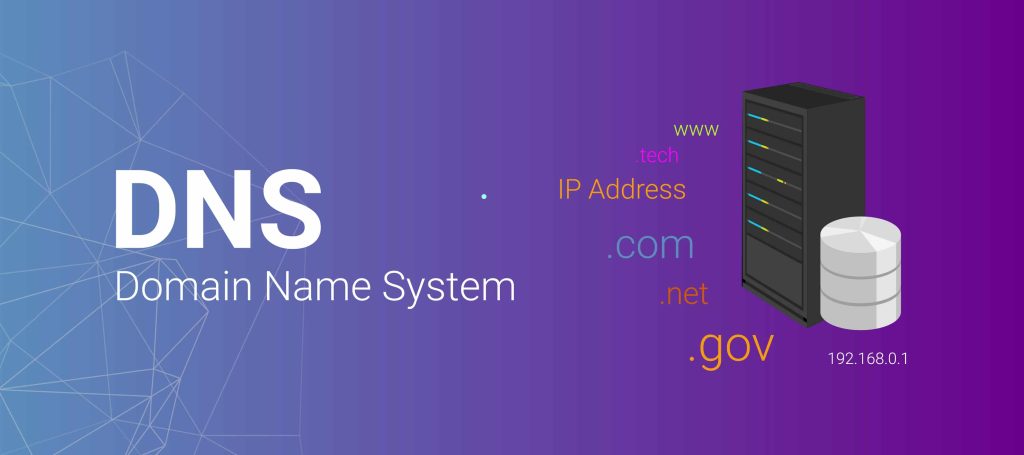
DNS Settings: Configure your domain’s DNS settings to point to your hosting provider.
Upload Files: Use FTP or a web-based control panel to upload your site files to the hosting server.
Launch:
Publish Your Site: Once everything is set up and tested, publish your website for the public to access.
Maintenance:
Regular Updates: Keep your site content up to date.
Security Measures: Implement security measures, such as regular backups and software updates.
Monitoring: Monitor site performance and user analytics.
